
For UK players looking for a mobile betting platform, the first question is usually simple: how can the app be downloaded safely and used without unnecessary complications? Drop the Boss is presented as a modern betting and casino platform with mobile access, a broad selection of markets, and a design intended for fast navigation. Before registering, however, players should check availability, licensing information, age requirements, and the applicable rules for their location.
This guide explains how to find the official Drop the Boss application, how to install it on Android or iPhone, what to check before making a deposit, and how to avoid unofficial downloads. It also covers the relationship between sports betting and the casino section, including the popular phrase drop the boss free, which may refer to promotional access or free-play content depending on the current offer.
Drop the Boss is an online gaming brand associated with sports betting and casino entertainment. Its mobile experience may be available through a dedicated application, a browser-based progressive web app, or a mobile-optimised website. The exact installation method can vary according to the device, operating system, and the operator’s current distribution policy.
UK users should not assume that every version found online is official. Search results, social-media posts, and file-sharing pages can contain modified applications that may collect personal data or redirect payments. The safest approach is to begin with the operator’s verified website and follow the download instructions shown there.
Android users may receive an application through the Google Play Store or directly from the operator’s website. If the app is distributed outside the Play Store, additional installation steps may be required.
Some Android devices block installations from unknown sources by default. If this occurs, the device may display a security warning. Players should not disable security protections casually. If an official APK is genuinely provided, enable installation permission only for the relevant browser or file manager, install the app, and then restore the previous security setting.
Before opening an account, compare the developer name, application icon, website address, and privacy information with details published on the official platform. A mismatch is a reason to stop and investigate.
For iPhone and iPad users, availability through the Apple App Store depends on the operator’s approval and regional distribution. If a native iOS app is unavailable, the service may offer a mobile website or progressive web app instead.
A progressive web app does not require a traditional App Store download. It opens in a dedicated browser window and can provide quick access to sports markets, account tools, promotions, and casino games. The quality of the experience depends on the website and the device’s internet connection.
If an iOS application is listed in the App Store, confirm the publisher before downloading it. Do not rely only on an identical logo or a similar application name. The publisher, reviews, privacy details, and link from the official website should all correspond.
Downloading an app is only one part of choosing an online betting service. UK players should examine the operator’s legal information before submitting identity documents or payment details.
UK players should also verify whether the advertised sports betting and casino services are actually available in their jurisdiction. A platform may display international content while restricting certain functions based on location.
After installing or opening the mobile platform, select Register and enter accurate personal information. The details should match official identification and payment records. Using incorrect information can delay verification or prevent withdrawals.
Registration often involves confirming an email address or mobile number. The operator may then request proof of identity and address. Complete these checks through the secure account area rather than sending documents to an unverified contact.
When adding funds, choose a payment method supported for UK customers. Enter the deposit amount carefully and consider setting a personal limit before placing a bet. A first deposit should be an amount that the player can afford to lose, not money needed for bills or everyday expenses.
Once logged in, users can generally select sports from the main navigation menu. Common categories may include football, tennis, horse racing, basketball, and esports, although the available markets can change.
To place a bet, choose a sport, open an event, select an available market, and add an outcome to the bet slip. Review the odds, stake, possible return, and any applicable conditions before confirming. Live betting requires particular caution because odds can move quickly and delays may affect acceptance.
Mobile users should avoid rushing through a bet simply because the interface is designed for speed. Check whether the bet slip has combined selections, whether each selection is accepted, and whether the final odds have changed.
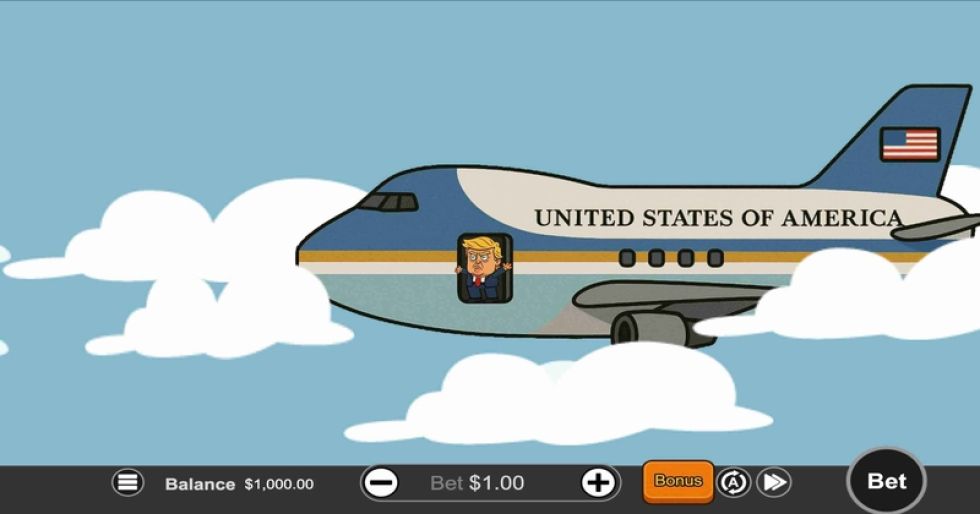
The casino area may include slots, table games, live dealer titles, and promotional features. The phrase drop the boss free can be searched by users interested in free spins, demo play, or an introductory offer, but its meaning should always be confirmed in the current promotion’s terms.
Free-play access does not necessarily mean that all winnings can be withdrawn immediately. Promotional balances can be subject to wagering requirements, game contributions, maximum conversion limits, and expiry dates. Read the full conditions before accepting an offer.
Players should also understand that casino games are based on chance. No betting system can guarantee a profit, and previous results do not determine the next outcome. Set a budget and stop when the budget is reached.
Use a private device and a trusted internet connection whenever possible. Avoid logging in through public computers or unsecured Wi-Fi networks. Create a unique password and enable two-factor authentication if the platform supports it.
Keep the phone’s operating system and security software updated. Never share one-time verification codes, passwords, or payment information with someone claiming to represent support. Genuine support teams should not need unrestricted access to a personal device.
| Item to check | Why it matters |
|---|---|
| Official download source | Reduces the risk of installing altered or malicious software |
| Licence and territory | Shows whether the service is legally intended for the player’s location |
| Payment terms | Explains deposits, withdrawals, limits, and possible charges |
| Bonus rules | Clarifies wagering requirements and restrictions |
| Responsible-gambling tools | Helps players control time and spending |
| Customer support | Provides assistance with verification, payments, and technical issues |
No. Availability can depend on the operator, device, and region. Some users may receive a native Android or iOS app, while others may use a mobile website or progressive web app.
This is not recommended. Unofficial APK files can be modified and may expose login credentials or payment information. Use the operator’s verified website or an official app store instead.
Verification is common in regulated betting and casino services. It may be required before deposits, withdrawals, or continued account use.
Not necessarily. A free offer may not require an initial payment, but it can include wagering conditions, expiry dates, eligible-game rules, and withdrawal limits. Read the terms before participating.
Check the device’s operating-system version, available storage, internet connection, and regional availability. If the issue continues, use the official mobile website and contact verified customer support.
Downloading Drop the Boss safely requires more than finding an application file. Start with the official website, confirm that the service is available to UK customers, inspect licensing and payment information, and install only a verified version. iPhone users may be able to add the mobile site to the home screen, while Android users may have access to a store listing or official APK.
After installation, protect the account with a strong password, verify personal details, understand bonus conditions, and set responsible spending limits. Whether using sports betting, casino games, or searching for a drop the boss free promotion, treat every offer as conditional and every wager as entertainment rather than guaranteed income.



 Call Now